Deep Dive¶
DLLPickle exists to solve a specific PowerShell assembly-loading problem: different modules can ship different versions of the same dependency DLL, but a single PowerShell process can only load one assembly identity at a time. In practice, this often shows up as authentication failures when connecting to multiple Microsoft services in one session.
Problem Model¶
Multiple service modules (for example, Graph, Exchange, Teams, Az) commonly
package identity-related assemblies such as Microsoft.Identity.Client.dll.
When one module loads an older copy first, another module that expects a newer
copy can fail with “an assembly with the same name is already loaded” or type
load errors.
DLLPickle addresses this by loading a compatible set of identity-related assemblies before other modules attempt their own assembly loads.
Related Issues¶
This class of conflict is widely reported across Microsoft’s first-party PowerShell modules:
- Connect-MgGraph fails after Connect-ExchangeOnline
- UUF Customer feedback: Get-EntraExtensionProperty error (Assembly with same name is already loaded)
- Assembly with same name is already loaded
- Design entra-powershell with ALC bridge pattern for more robust assembly load handling
- Implement proper assembly isolation to play nice with vscode-powershell
- Conflict with the .NET DLL of the Az module (vscode-powershell#3012)
- Unable to load Az modules — Assembly with same name is already loaded (vscode-powershell#4727)
How DLLPickle Works¶
Import-DPLibrary selects a physically isolated DLL directory using both the
PowerShell minor and CLR major:
bin/net8.0for PowerShell 7.4 / .NET 8bin/net9.0for PowerShell 7.5 / .NET 9bin/net10.0for PowerShell 7.6 / .NET 10
The generated support matrix supplies the current Microsoft lifecycle and exact CI patch evidence. An unknown or mismatched pair fails closed rather than rolling forward to another bundle.
To improve reliability, the loader:
- Builds a dependency graph from local assembly metadata.
- Applies dependency-first ordering where possible.
- Appends unresolved nodes in deterministic alphabetical order.
- Adds packaged native runtime directories for the current process RID to
PATHso broker/MSAL native dependencies can be found without loading native DLLs as managed assemblies. - Retries failed loads and reports unresolved failures.
This approach reduces transient first-pass load failures while keeping behavior predictable and diagnosable.
The inspection helpers (and Windows PowerShell 5.1)¶
Import-DPLibrary is the automated fix, and it needs a declared supported PowerShell/.NET profile
because it depends on AssemblyLoadContext. But DLLPickle also ships a set of
inspection helpers that are deliberately cross-edition:
Find-DLLInPSModulePath— find DLLs across the installed module paths (includingDocuments\WindowsPowerShell\Modules; the all-users WinPS root is auto-seeded when the helper itself runs on 5.1), filtered by product metadata.Get-ModulesWithDependency— list installed modules that package a given dependency DLL.Get-ModulesWithVersionSortedIdentityClient— compare modules by theMicrosoft.Identity.Client.dllversion they ship.Get-ModuleImportCandidate— show which installed module version would import.Test-DPLibraryConflict— report known-incompatible module pairs already loaded in the current session.
These exist so the project charter still helps environments the preloader cannot reach. A Windows PowerShell 5.1 user who hits the same DLL conflict can run these helpers from a supported PowerShell session, inspect the current-user Windows PowerShell module roots from there, see which installed module ships the newest identity DLL, and connect to that service first — the same “first one wins” idea, applied by hand. The automated preload is the convenience; the manual workaround is always available.
Dependency Maintenance Automation¶
DLLPickle’s preload set must track both NuGet package releases and the DLLs that upstream Microsoft PowerShell modules bundle in PSGallery releases. A package can be current on NuGet and still be the wrong preload candidate if Graph, Teams, Exchange, or Az modules reference a different strong-named assembly in their module folders.
The repository therefore includes an upstream compatibility policy and scheduled workflow:
build/dependency-policy.jsondeclares monitored PSGallery modules, tracked assembly families, per-assembly version policies, and blocked preload families.tools/Get-DLLPickleUpstreamInventory.ps1downloads and inventories the newest release compatible with the exact tested PowerShell profile, then records only the assets actually selected in that stock host.tools/Update-DLLPickleDependencyPins.ps1compares the inventory with the policy and applies safe candidate pin updates (major-locked floatingN.*, or an exact pin when amaximumPackageVersioncap applies)..github/workflows/Upstream-Compatibility.ymlruns the inventory and candidate update flow on a schedule or on demand.
The monitored module set currently includes:
Microsoft.Graph.AuthenticationExchangeOnlineManagementAz.StorageAz.AccountsMicrosoftTeamsAz.Resources
Az.Resources is monitored explicitly because it is the observed trigger for
the #193 Microsoft.Extensions.* collision family.
The workflow is fail-closed. It may propose a candidate when a policy-supported identity pin changes. It does not merge or publish changed preload behavior unless the candidate passes locked restore, all-TFM build, the exact nine-cell runtime matrix, profile/platform conflict baselines, artifact composition, size, and issue reproduction validation.
Some dependency families are deliberately report-only. For example, OData assemblies are tracked because ExchangeOnlineManagement and Az.Storage can require incompatible versions in one process, but OData is not added to the default preload set unless a future isolation strategy makes that safe.
Azure.Core is also report-only. It is intentionally not preloaded on the
supported ALC-capable profiles: both Az.Accounts (AzSharedAssemblyLoadContext) and
Microsoft.Graph.Authentication (msgraph-load-context) isolate their Azure SDK
stack in private AssemblyLoadContexts — they even run different Azure.Core
versions side-by-side without conflict. Preloading Azure.Core into the default
load context splits the identity of Azure.Core.TokenRequestContext across that
boundary and breaks Connect-AzAccount. Because the modules self-manage it, the
preload is unnecessary on the supported .NET runtimes.
Windows PowerShell 5.1 caveat: this module self-isolation relies on
AssemblyLoadContext, which only exists on .NET (Core) 5+. Windows PowerShell 5.1 (.NET Framework 4.8) has no ALC, so modules cannot self-isolate there — which is exactly why DLLPickle’s automated preloader does not support 5.1 (use the inspection helpers above for the manual path). Re-adding net48 is out of scope for the current major version; if it were ever revisited, the Azure SDK stack would have to be preloaded again, net48-only. The maintainer-facing re-introduction checklist lives in Architecture.md §10.
Validated Base Profile¶
The validated base profile for a single interactive session is:
ExchangeOnlineManagementMicrosoftTeamsMicrosoft.Graph.AuthenticationAz.Accounts
Use Import-DPBaseProfile to run Import-DPLibrary and import those modules in
that order. If Az.Accounts is imported first, it can load an older Azure
identity stack before Microsoft Graph and recreate
the UserProvidedTokenCredential.GetTokenAsync type identity failure.
Import-DPBaseProfile intentionally does not authenticate to any service. It
only prepares the process and imports modules so connection commands such as
Connect-ExchangeOnline, Connect-MicrosoftTeams, Connect-MgGraph, and
Connect-AzAccount can run afterward using credentials and tenant choices from
the caller’s environment.
Historical authenticated testing confirmed the full base profile on the earlier
net8.0 bundle. Current deterministic CI covers every declared PowerShell/OS
profile, but authenticated read-only checks remain explicit release gates until
approved credentials produce fresh artifacts. See
Compatibility Evidence for the exact
unexecuted commands. DLLPickle does not preload Azure.Core, so Az.Accounts’
private AssemblyLoadContext can resolve a consistent copy.
Why This Helps¶
- Preloads a coherent identity stack early in the session.
- Reduces module-to-module assembly contention.
- Preserves normal module workflows after one initial preloading step.
Recommended Usage Pattern¶
Run DLLPickle early in the session, before connecting to service modules:
For the supported base profile, prefer:
For diagnostics:
Configuration¶
DLLPickle supports user-level configuration through:
Get-DPConfigSet-DPConfig
You can use these commands to manage behaviors such as logo display and library exclusion for environment-specific troubleshooting.
More Reference Material¶
Known limitation: Az.Storage + ExchangeOnlineManagement (issue #174)¶
Az.Storage and ExchangeOnlineManagement bundle incompatible, strong-named versions of
Microsoft.OData.Core (7.6.4 and 7.22.0 respectively) and both load it into the default
AssemblyLoadContext. Only one version can exist per process, and neither import order works:
- Import
Az.Storagefirst, then runGet-EXO*→ fails (Could not load … Microsoft.OData.Core, Version=7.22.0.0 … manifest definition does not match). - Import
ExchangeOnlineManagement/Connect-ExchangeOnlinefirst, then importAz.Storage→ fails (Microsoft.OData.Core, Version=7.6.4.0 … assembly with same name is already loaded).
This is an upstream incompatibility between the two modules; DLLPickle cannot fix it by preloading
(preloading either version breaks the other module), which is why the OData assemblies are
classified block. Import-DPLibrary warns if it finds both modules already loaded; run
Test-DPLibraryConflict after later imports to check the session again.
Workaround: use the two modules in separate PowerShell processes — for example, run Get-EXO*
work in one pwsh (or a Start-Job background job) and Az.Storage work in another. A separate
runspace in the same process does not help: the conflict is process-wide (one default
AssemblyLoadContext per process).
Any future attempt to reclassify OData as preloadable must be re-adjudicated with fresh runtime evidence for both import orders in one process; static package/version changes alone are not sufficient.
Audio Discussion¶
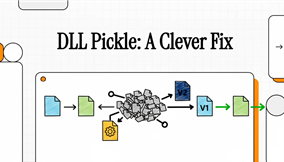
Ending PowerShell DLL Hell: How a Community Fix Uses “First-One-Wins” to Master Azure, Exchange, and Teams Connection Conflicts. An interactive audio deep-dive generated by NotebookLM.
Video Explanation¶
A high-level walkthrough of the dependency conflict model and how preloading reduces assembly contention in mixed-module sessions.